

Free checklist · AI Readiness Checklist 2026
Is your Microsoft 365 ready for AI?
AI does not create exposure in your business. It finds the exposure you already have, and puts it in front of whoever asks.
Ten questions, about ten minutes, run at board level. You do not need to be technical, just honest about the answers.
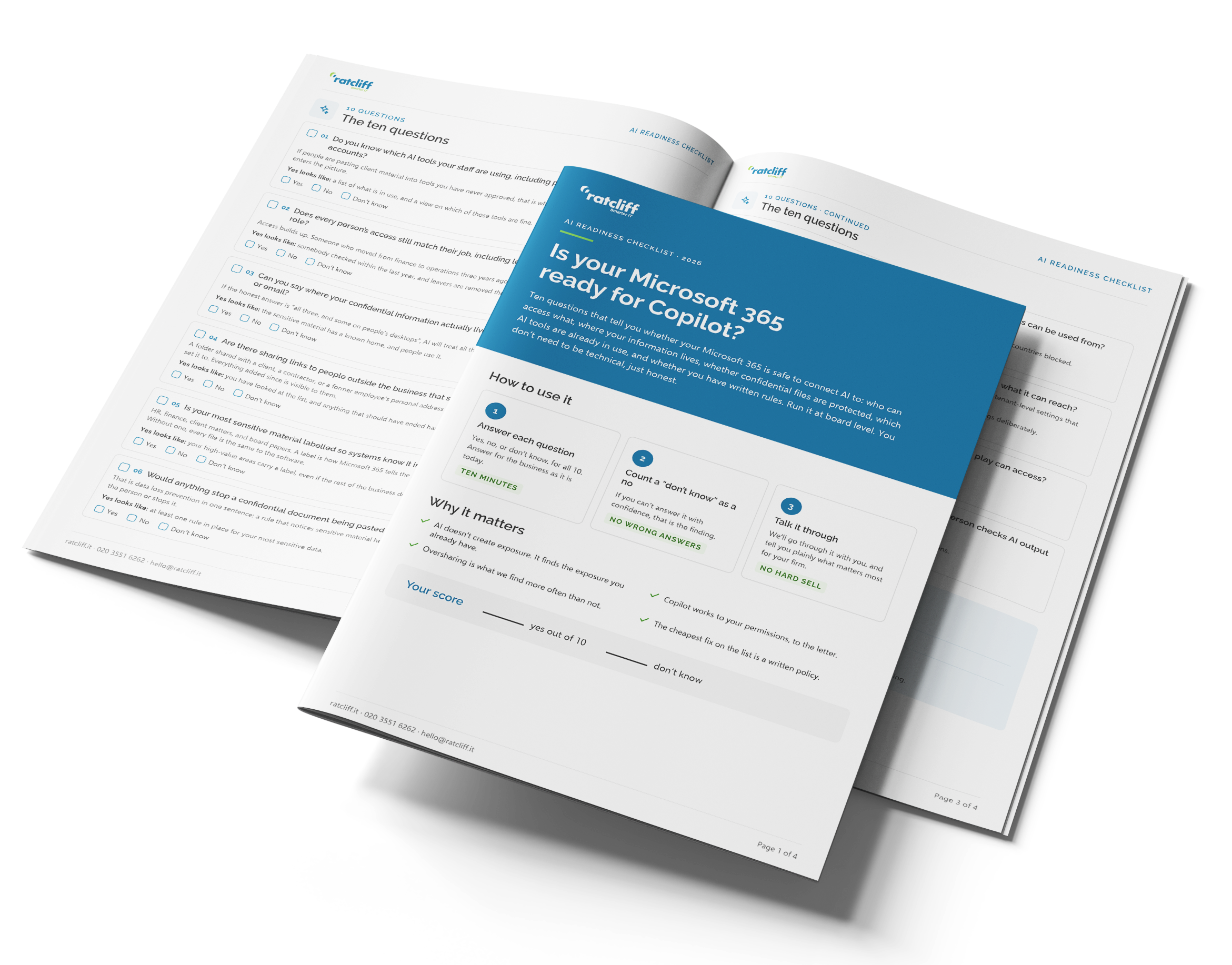
What's in the checklist
A branded PDF you can print and run round the table with your leadership team. For each question it tells you what a yes looks like, so you are not guessing.
- Ten yes, no, or don't know questions covering access, where your information lives, sharing, labelling, AI tools in use, Copilot, agents, and policy.
- A score out of ten, and what your score means for switching AI on.
- A side-by-side of what the checklist tells you and what an AI Readiness Assessment checks.
What happens when you fill out this form?
The PDF arrives by email straight away. James may follow up once to ask how you scored, and you can unsubscribe at any time.
Get the checklist
Tell us where to send it. Three details, nothing more.
We will only use these details to send you the checklist and, occasionally, related thinking from Ratcliff IT. No sharing, no spam. You can unsubscribe at any time.
The ten questions
- Do you know which AI tools your staff are using, including personal ChatGPT and Claude accounts?
- Does every person's access still match their job, including leavers and people who changed role?
- Can you say where your confidential information actually lives: team sites, personal OneDrives, or email?
- Are there sharing links to people outside the business that still work?
- Is your most sensitive material labelled so systems know it is sensitive?
- Would anything stop a confidential document being pasted into a public AI tool?
- Is MFA on for everyone, with Conditional Access limiting where accounts can be used from?
- Do you know who has Copilot, and has anyone checked its settings and what it can reach?
- Is anyone building AI agents, and do you know what the ones already in play can access?
- Do you have a written AI policy, an approved-tool list, and a rule that a person checks AI output before it goes to a client?
Count every “don't know” as a no. The PDF shows what a yes looks like for each question, and what your score means.
Questions about the checklist
Directors, partners, and managers of professional, well-run organisations of twenty to a hundred staff who use Microsoft 365 and are thinking about Copilot, ChatGPT, or other AI tools.
No. These are business questions, not IT questions. You need to know your business and be honest about the answers.
Count it as a no. Where the honest answer is “I don’t know”, that is itself the finding.
The checklist asks what you believe the answers are. The assessment finds out. A senior engineer spends about a day in your Microsoft 365 looking at permissions, sharing, labels, Copilot settings, agents, and AI tools in use, then gives you a written report and what to fix first. It is £950 fixed for a standard Microsoft 365 environment.
Yes. The questions are the same; the names of the tools change. We scope a Google review separately, after a short call.
The PDF arrives by email straight away. James may follow up once to ask how you scored, and you can unsubscribe at any time.
Find out what AI can see before you switch it on
If you are unsure on more than a few of these, the AI Readiness Assessment checks them for you. A senior engineer reviews your Microsoft 365 in about a day, talks to you and the business about how information is used, and gives you a written report of what AI would surface today and what to fix first. It is £950 fixed for a standard Microsoft 365 environment.
Not sure yet? Book a no-strings discovery call
hello@ratcliff.it · 020 3551 6262
Want the wider picture first? Read our guide, AI, Automation, and the Well-Run Business.