
What is safe automation? (60-word answer)
Safe automation is the design discipline of building business workflows that remove human judgement from decisions a system can make, query a documented source of truth before acting, constrain inputs to predefined options, and produce a complete audit trail for every action. It reduces operational risk by design rather than by training, and is the standard for any automation that touches identity, access, money, or regulated data.
Automation is one of the most powerful levers available to a growing business right now. Done well, it removes friction, reduces errors, and frees your team to focus on the work that needs a human. Done badly, it creates new problems while disguising them as efficiency.
The difference between the two is not the technology. It is the design.
At Ratcliff IT, we have designed and deployed automations for growing businesses in London for over fifteen years, including in highly regulated sectors. The framework below is the operating model we apply to every automation we build, whether it is a single password reset workflow or a multi-system identity provisioning pipeline. Use it whether you are working with us or building something yourself.
Why most business automation fails
When automation goes wrong in a business, it is rarely because the technology stopped working. Failures cluster around three causes:
- Someone had to make a judgement call the system was never designed to handle.
- The inputs were ambiguous, so the output was unpredictable.
- There was no audit trail, so when something went wrong, nobody could trace it.
These are not technical failures. They are design failures. They are also entirely preventable, and that is what the rest of this article is about.
The core principle: let the system decide
The single most important shift in safe automation design is this:
The principle. The system should make the decision. The user should select the scenario.
Most poorly designed automations do the opposite. They ask the user or the engineer to interpret the situation, remember how something is configured, or decide where an action should happen. That is a manual process with extra steps.
A well-designed automation constrains what humans input, queries trusted sources of truth to determine the correct action, and executes that action consistently every time. The human chooses the scenario. The system does the thinking.
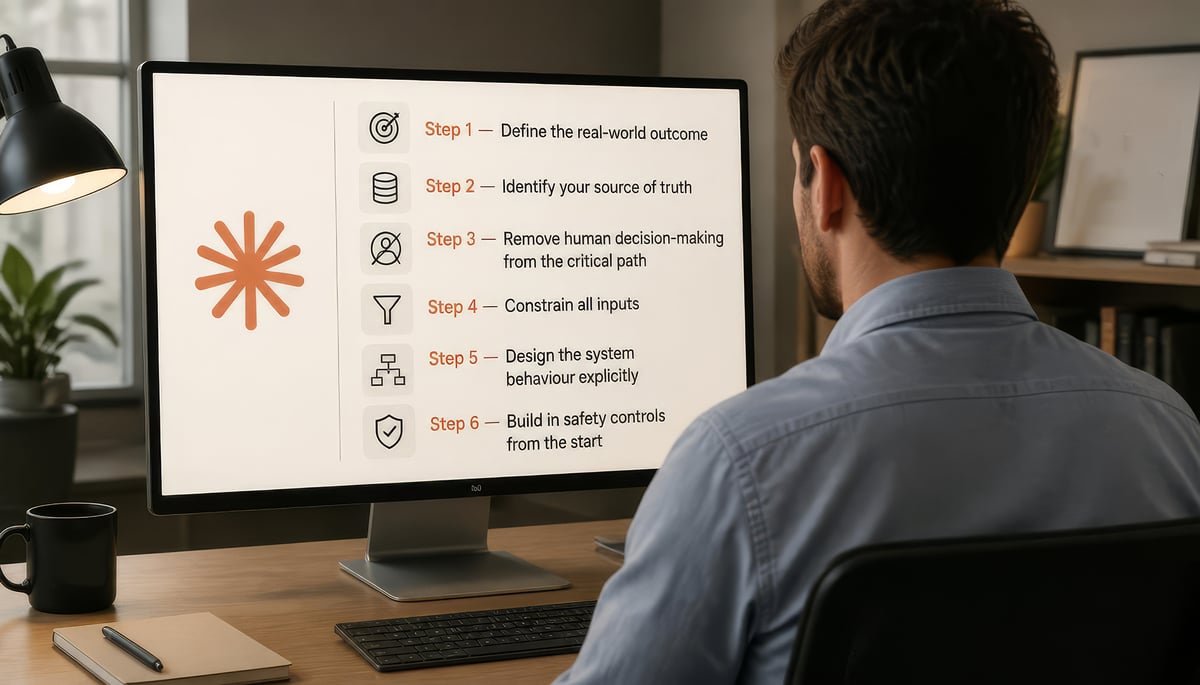
The Safe Automation Framework: six steps
Every automation we design at Ratcliff IT follows this six-step sequence. It works for a simple notification or a complex multi-system workflow.
Step 1 — Define the real-world outcome
Start with what the user is trying to achieve, not with what the system is going to do. What is the problem being reported? What does a successful resolution look like? Starting from the outcome keeps the design grounded and prevents you from building something technically correct but practically useless.
Step 2 — Identify your source of truth
Before building any logic, decide where decisions come from. Identity management, system configuration, user data, access permissions: each needs a designated authoritative source. If your automation queries that source, it behaves consistently. If it relies on whoever happens to be handling the ticket, it varies.
Step 3 — Remove human decision-making from the critical path
This is the most important design discipline. Anywhere your automation asks a human to decide something a system could determine, replace it. Do not ask which system a password should be reset in. Query the configuration data and let the system work it out. Human judgement is valuable — it should not be spent on decisions a database can make.
Step 4 — Constrain all inputs
Free text is the enemy of reliable automation. Wherever you have a free text field, you have a source of ambiguity. Replace free text with structured selections: directory lookups, predefined lists, fixed request types. The more constrained the input, the more predictable the output.
Step 5 — Design the system behaviour explicitly
Every automation should follow a clear sequence: look up, validate, present a summary, confirm, execute, log. Each step should be explicit and deliberate. If the system cannot determine the correct action at any point in that sequence, it should stop, not guess.
Step 6 — Build in safety controls from the start
Safety controls are not an afterthought. They should be designed in before a single line of workflow is built. At minimum: identity verification, confirmation steps, approval workflows where appropriate, role-based access restrictions, and automatic blocking conditions for scenarios the system cannot resolve safely. For automations that touch regulated data, integrate with your wider managed cyber security services from the design phase. If the system encounters an unknown identity, missing configuration data, or a high-risk account, it should halt and escalate, not proceed.
Want this framework applied to your environment?
Book a 30-minute discovery call with James Ratcliff. We will walk through one workflow you are considering automating and tell you whether it is safe to proceed, and how to design it if it is.
Book a no-strings discovery call
Safe automation vs fast automation: when each is appropriate
Safe automation is harder to build and slower to deploy than fast automation. That trade-off is real and should be made deliberately.
| Dimension | Fast automation | Safe automation |
|---|---|---|
| Build time | Hours to days | Days to weeks |
| Inputs | Free text, flexible | Constrained, structured |
| Decision logic | Often relies on operator | Driven by source of truth |
| Audit trail | Partial or none | Complete by default |
| Reversibility | Often manual | Designed in |
| Best for | Internal tools, low-risk notifications, exploratory work | Identity, access, money, regulated data, customer-facing actions |
| Risk profile | Acceptable for low-stakes | Required for high-stakes |
If the workflow touches identity, access, money, or regulated data, build it safely. Everywhere else, fast is often fine — provided you have made the choice consciously.
What safe automation looks like in practice
Take a common workflow: resetting a password for a user locked out of an application.
The unsafe version
- An engineer receives a ticket.
- The engineer reads the ticket and decides which system the password lives in.
- The engineer resets the password in what they believe is the right place.
- Nobody records what verification was done or why that system was chosen.
This relies on the engineer's memory. It produces different results with different engineers. It leaves no audit trail. It eventually goes wrong.
The safe version
- The user selects the affected application from a constrained list.
- The system queries configuration data to determine where identity is managed.
- The system verifies the user's identity before proceeding.
- A summary is presented and confirmed before any action is taken.
- The reset is executed in the correct location, determined by data not memory.
- Every step is logged automatically.
Same outcome. Entirely different risk profile. The user has done one thing — selected a scenario. The system has done everything else.
How we know this works
Ratcliff IT has been named one of Britain's Top 50 Best Managed IT Companies for eight consecutive years. We are Cyber Essentials Plus certified, and we apply this framework to every automation we deploy across our client base, including in FCA-regulated environments. The framework is the operating standard, not the marketing pitch.
The pre-deployment checklist
Before any automation goes live, it should pass this checklist. If any answer is no, the automation is not ready.
- Are all critical decisions driven by a documented, queryable source of truth?
- Are all inputs constrained — no free text fields driving critical decisions?
- Are there appropriate safety controls and explicit blocking conditions?
- Is identity verification handled by the system, not the operator?
- Is there a complete, automatic audit trail for every action taken?
- Is there a defined escalation path for scenarios the system cannot resolve?
When is your business ready to automate?
If you are running a business of 20 to 50 people, you are at the point where manual processes start to show their limits. Things fall through the cracks. Outcomes vary depending on who is handling the work. Institutional knowledge lives in people's heads instead of in systems. This pattern is especially common in professional services firms, accountancy practices, and financial services businesses operating under FCA oversight — wherever client confidentiality, audit obligations, or regulatory standards make consistency non-negotiable.
Automation can solve all of this. But only if it is designed to remove reliance on human memory and judgement, not to move that reliance somewhere less visible.
The businesses that get the most value from automation are not necessarily the ones that automate the most. They are the ones that automate thoughtfully, with clear design principles, proper safety controls, and a commitment to continuous improvement when things do not work as expected.
The goal is to remove risk by design, not by training. Training wears off. Design does not.
Frequently asked questions
What is the difference between safe automation and regular automation?
Safe automation is designed to remove human judgement from decisions a system can make, constrain all inputs to predefined options, query a documented source of truth before acting, and produce a complete audit trail. Regular automation typically asks a human to interpret the situation and trusts them to act correctly. The difference shows up the moment something unusual happens.
Why does most business automation fail?
Most automation fails for three reasons: someone had to make a judgement the system was not designed to handle, inputs were ambiguous, or there was no audit trail to trace what went wrong. These are design failures, not technology failures, and they are entirely preventable with the right framework.
What is a source of truth in automation?
A source of truth is the designated authoritative system for a particular type of data — identity, configuration, permissions, customer records. A safe automation queries the source of truth before acting, rather than relying on operator knowledge. Without an explicit source of truth, automation behaviour varies depending on who built or operates it.
How do you audit an automated workflow?
Audit-ready automation logs every action automatically: who or what triggered it, what data was queried, what decision was made, what action was executed, and what the outcome was. The audit trail must be created by the system, not the operator. If a human has to remember to log something, it is not audit-ready.
When is a business ready to start automating?
A business is ready to automate when manual processes are producing variable outcomes, institutional knowledge is concentrated in individuals, and growth is being constrained by capacity rather than demand. The first automations should be the highest-volume, lowest-risk workflows — and they should be designed using the framework above, not assembled ad hoc.
Thinking about automation in your business?
Ratcliff IT works with growing businesses to design and implement automation that is built on these principles from the ground up. If you are considering an automation project and want to understand what safe implementation actually looks like in your environment, the next step is a short conversation.
Book a no-strings discovery call
What you get: a 30-minute conversation with James Ratcliff, our founder.
What we cover: your current setup, the workflow you are considering automating, and a clear answer on whether it is ready and how to design it safely.
What happens next: a short written summary of the call. No salesperson follow-up unless you ask for one.

